
Termux
Tools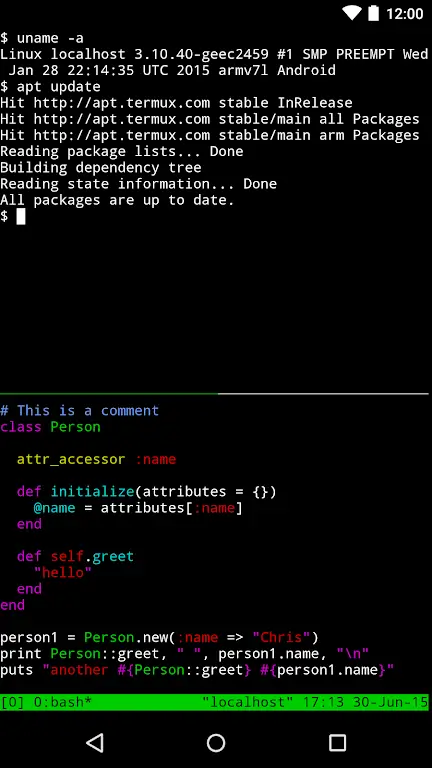
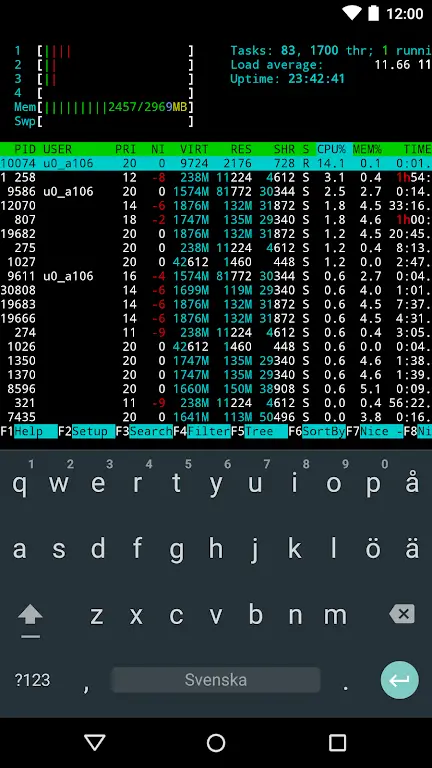
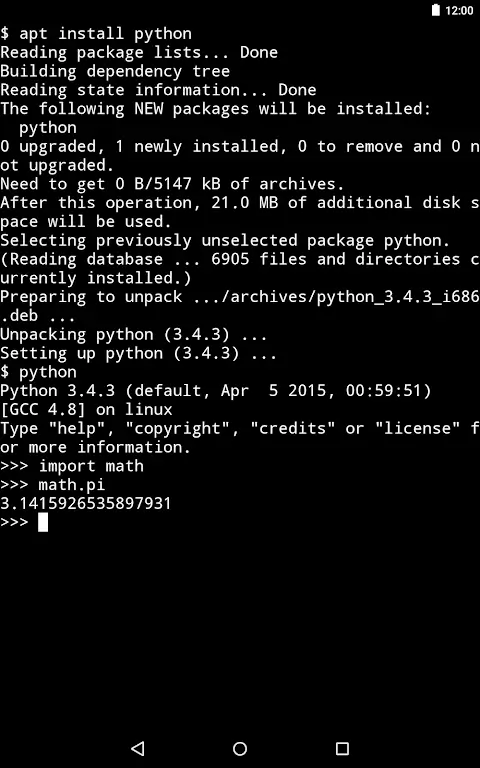

Termux brings a full Linux terminal experience to Android devices. It combines a command‑line interface with a package manager, letting you install and run many standard Linux utilities directly on your phone or tablet.
This page provides the latest official APK details, installation steps, and practical tips for using Termux safely.
Quick Information
| App/Game Name | Termux |
| Latest Version | 0.119.1 |
| Developer | Not listed |
| Category | Apps / Tools |
| App Size | 107 MB |
| Package Name | com.termux |
| Last Updated | 15 August 2023 |
What Is Termux?
Termux is an Android app that acts as a terminal emulator and Linux environment. It offers a Bash shell, a collection of core utilities, and the apt package manager, so you can install languages (Python, Ruby, Node.js), development tools (git, clang), and networking utilities (ssh, curl) without rooting the device.
The app is aimed at developers, power users, and anyone who wants a Unix‑like command line on Android. Because it runs in user space, it does not require root access, but it also cannot modify system files outside its own sandbox.
Compatibility
| Android Version | ✓ Verified — 5.0 & Above |
| Architecture (ARM64 / 32-bit) | Not Verified |
| Internet Connection | ✓ Verified — May be required for ads, updates, or login |
| Storage Needed | Not Verified |
| OBB/Data Files | Not Verified |
| Root Required | Not Verified |
How to Install
- Enable installation from unknown sources: Settings → Security → Allow installation of apps from unknown sources (or use the specific permission for the browser you’ll download from).
- Download the Termux APK file from this page.
- Open the downloaded file to launch the installer.
- Tap Install and wait for the process to finish.
- Once installed, open Termux and allow any runtime permissions it requests (storage access is optional but useful for file operations).
Troubleshooting
- App not installed error: Make sure the APK matches your device’s architecture (arm64‑v8a, armeabi‑v7a, or x86). Re‑download if the file is corrupted.
- Crashes on startup: Clear the app’s data (Settings → Apps → Termux → Storage → Clear data) and restart.
- Package manager not working: Run
apt update && apt upgradeinside Termux to refresh repositories. - Permission issues: Grant storage permission via
termux-setup-storagecommand to access shared files.
Safety & Security
Termux is an open‑source project distributed as an APK. While the app itself does not contain hidden malware, you should always download the file from a reputable source and verify its integrity if a hash is provided.
Because Termux can execute scripts and install packages, it inherits the same security considerations as any Linux terminal. Avoid running untrusted scripts, and be cautious about granting root privileges to any commands you execute.
How Termux Compares
| Feature | Termux | JuiceSSH | ConnectBot |
|---|---|---|---|
| Price / Free model | Free, open‑source | Free with optional premium subscription | Free |
| Platform availability | Android only | Android only | Android only |
| Standout feature | Full Linux package manager (apt) | Integrated SSH client with multiple sessions | Simple, lightweight SSH client |
| Best for | Local development, scripting, learning Linux | Remote server management via SSH | Quick SSH access on the go |
Alternatives
Other Android terminal or SSH solutions include:
- JuiceSSH – a feature‑rich SSH client with key management and plugin support, ideal for remote server work.
- ConnectBot – a lightweight, open‑source SSH client that focuses on simplicity and low resource usage.
- UserLAnd – lets you run full Linux distributions (Ubuntu, Alpine) in a container, useful when you need a complete desktop environment.
Final Verdict
Termux offers a genuine Linux terminal on Android without requiring root, making it a solid choice for developers and power users. It’s free, regularly updated, and supports a wide range of packages. Before installing, verify the APK source, grant only necessary permissions, and avoid running untrusted scripts. If you need only SSH access, JuiceSSH or ConnectBot may be simpler, but for local development Termux remains the most capable option.
Frequently Asked Questions
Yes, when downloaded from a trusted source, Termux is an open‑source app without known malware, but you should still avoid running untrusted scripts.
Termux works on Android 5.0 (Lollipop) and newer, though newer versions provide better performance and compatibility.
No, Termux runs entirely in user space and does not require root privileges.
Yes, after installing Termux you can run apt install python (or nodejs, ruby, etc.) to add language runtimes.
Download the newest APK from this page and reinstall; the app will preserve its data unless you clear it manually.
Termux itself is command‑line only, but you can install X11 packages and use a VNC server to run GUI apps in a separate window.
No, Termux is a single APK without extra OBB or data files.
This can happen if the APK is corrupted, mismatched for your device’s CPU architecture, or if you have a previous version installed that conflicts with the new one.